UI Design

UI Design

Figma’s latest AI push

A practical look at how Figma’s expanding AI features are reshaping the path from design to live websites, and what it actually means for modern teams building fast.
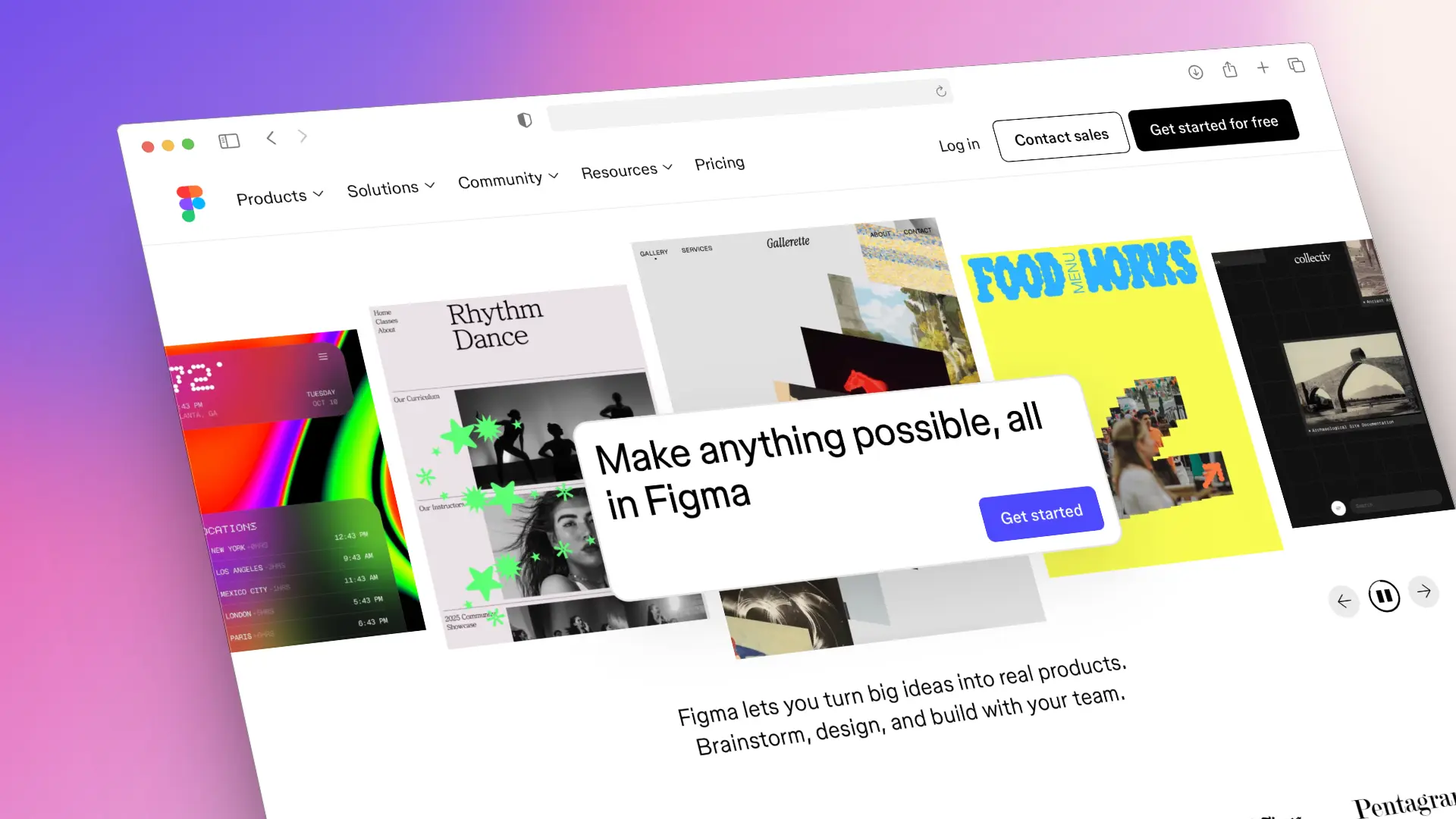
Figma interface showcasing AI-assisted design workflows and collaborative web creation tools.

Figma is closing the gap between design and deployment

Figma has been steadily moving beyond “just a design tool” for a while, but its latest AI-driven updates make that direction impossible to ignore. The focus is clear: reduce friction between design, collaboration, and getting real interfaces into production.

Instead of design being a static handoff, Figma is positioning itself as an active part of the entire workflow, from early concepts to developer-ready output. For teams building websites, products, and landing pages at speed, this shift matters.

The headline benefit is not novelty. It is momentum.

What Figma’s AI is actually doing (and not doing)

At its core, Figma’s AI features aim to remove repetitive work and accelerate early-stage decisions. Layout generation, content suggestions, component adjustments, and pattern recognition are helping teams move from blank canvas to structured design much faster.

That said, Figma is not trying to replace designers. The AI works best when there is intent behind it. Strong structure, clear hierarchy, and thoughtful systems still need to be defined by humans.

In practice, this means:

• Faster starting points for layouts and sections
• Quicker iteration during collaboration
• Less time spent on mechanical tasks
• More focus on structure, flow, and decision-making

The teams getting the most value are the ones treating AI as a co-pilot, not an autopilot.
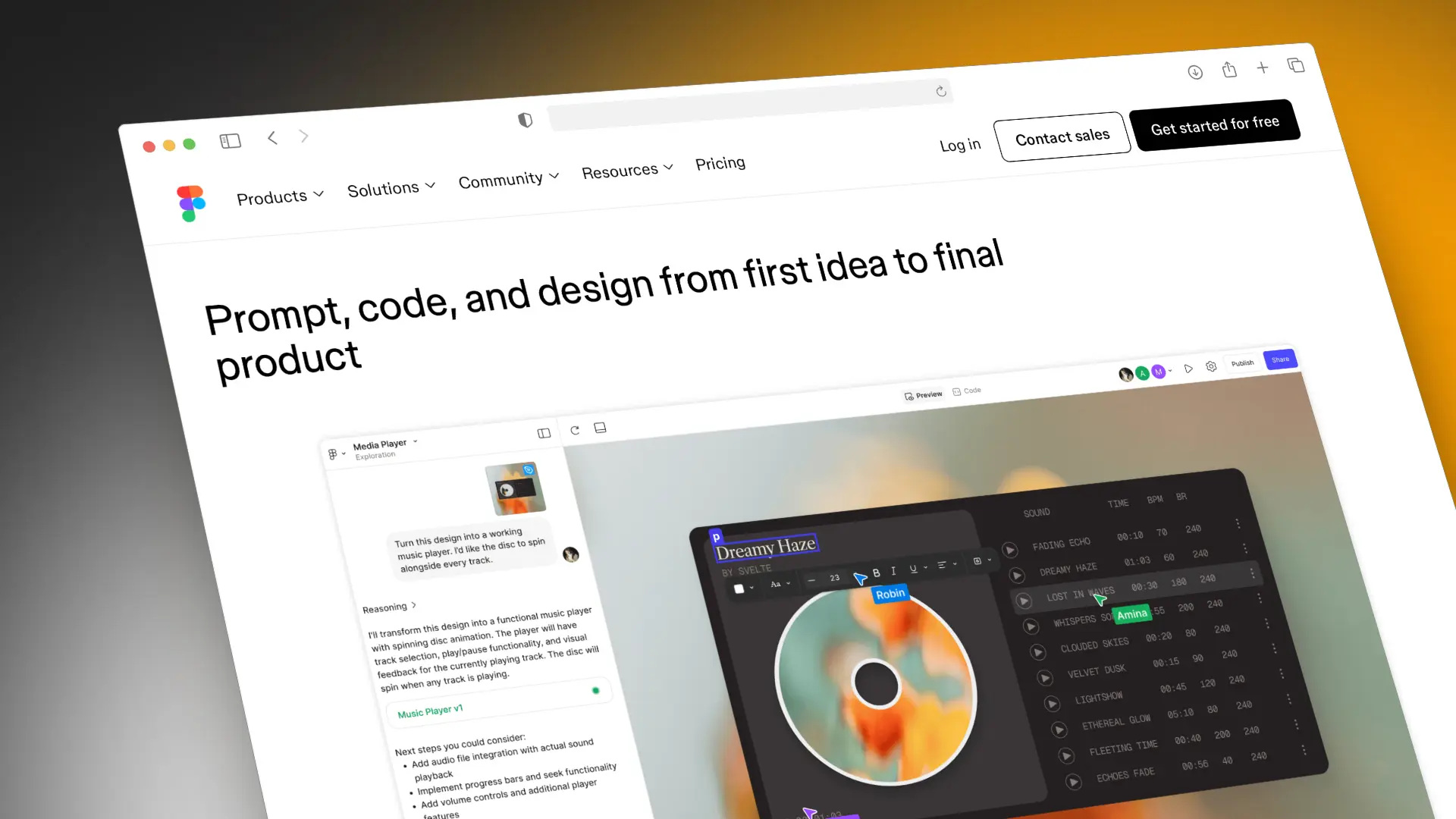
Figma editor showing AI-assisted prompt-to-design workflow and interactive interface components.

Why this matters for websites and landing pages

For website projects, the biggest win is speed without chaos. Design systems can be built, tested, and refined faster, while keeping consistency across pages and breakpoints.

This is especially useful for:

• Conversion-focused landing pages
• Multi-page marketing sites
• Product interfaces that evolve quickly
• Teams working across design and development

By shortening the distance between idea and implementation, teams can test, adjust, and improve earlier, instead of waiting until everything is “finished.”

That shift alone can dramatically improve outcomes.

Collaboration gets tighter, not noisier

One of the most underrated effects of Figma’s AI push is how it improves collaboration. When layouts, components, and content are easier to generate and adjust, conversations move away from pixels and toward intent.

Instead of debating spacing or button styles, teams spend more time discussing:

• User flow
• Content clarity
• Priority actions
• Performance goals

This is where better websites actually come from.

The real takeaway for designers and founders

Figma’s direction signals a broader trend: design tools are becoming workflow platforms. The winners will not be the teams who generate the most screens, but the ones who combine speed with structure.

AI can help you move faster. It cannot decide what matters.

Design-to-site workflows only work when strategy, messaging, and UX are clearly defined. Without that foundation, faster tools just help you ship the wrong thing sooner.

Used correctly, though, Figma’s AI features give teams something powerful: momentum without losing control.

Why this matters for websites and landing pages

For website projects, the biggest win is speed without chaos. Design systems can be built, tested, and refined faster, while keeping consistency across pages and breakpoints.

This is especially useful for:

• Conversion-focused landing pages
• Multi-page marketing sites
• Product interfaces that evolve quickly
• Teams working across design and development

By shortening the distance between idea and implementation, teams can test, adjust, and improve earlier, instead of waiting until everything is “finished.”

That shift alone can dramatically improve outcomes.

Collaboration gets tighter, not noisier

One of the most underrated effects of Figma’s AI push is how it improves collaboration. When layouts, components, and content are easier to generate and adjust, conversations move away from pixels and toward intent.

Instead of debating spacing or button styles, teams spend more time discussing:

• User flow
• Content clarity
• Priority actions
• Performance goals

This is where better websites actually come from.

The real takeaway for designers and founders

Figma’s direction signals a broader trend: design tools are becoming workflow platforms. The winners will not be the teams who generate the most screens, but the ones who combine speed with structure.

AI can help you move faster. It cannot decide what matters.

Design-to-site workflows only work when strategy, messaging, and UX are clearly defined. Without that foundation, faster tools just help you ship the wrong thing sooner.

Used correctly, though, Figma’s AI features give teams something powerful: momentum without losing control.

Why this matters for websites and landing pages

For website projects, the biggest win is speed without chaos. Design systems can be built, tested, and refined faster, while keeping consistency across pages and breakpoints.

This is especially useful for:

• Conversion-focused landing pages
• Multi-page marketing sites
• Product interfaces that evolve quickly
• Teams working across design and development

By shortening the distance between idea and implementation, teams can test, adjust, and improve earlier, instead of waiting until everything is “finished.”

That shift alone can dramatically improve outcomes.

Collaboration gets tighter, not noisier

One of the most underrated effects of Figma’s AI push is how it improves collaboration. When layouts, components, and content are easier to generate and adjust, conversations move away from pixels and toward intent.

Instead of debating spacing or button styles, teams spend more time discussing:

• User flow
• Content clarity
• Priority actions
• Performance goals

This is where better websites actually come from.

The real takeaway for designers and founders

Figma’s direction signals a broader trend: design tools are becoming workflow platforms. The winners will not be the teams who generate the most screens, but the ones who combine speed with structure.

AI can help you move faster. It cannot decide what matters.

Design-to-site workflows only work when strategy, messaging, and UX are clearly defined. Without that foundation, faster tools just help you ship the wrong thing sooner.

Used correctly, though, Figma’s AI features give teams something powerful: momentum without losing control.

Next blog

Next blog

Next blog

Take a deeper dive and browse through more of our posts

Explore our extensive collection of posts for in-depth insights and valuable information.

Explore our extensive collection of posts for in-depth insights and valuable information.

Explore our extensive collection of posts for in-depth insights and valuable information.